Building Context-Aware RAG Pipelines with Gemini and pgvector
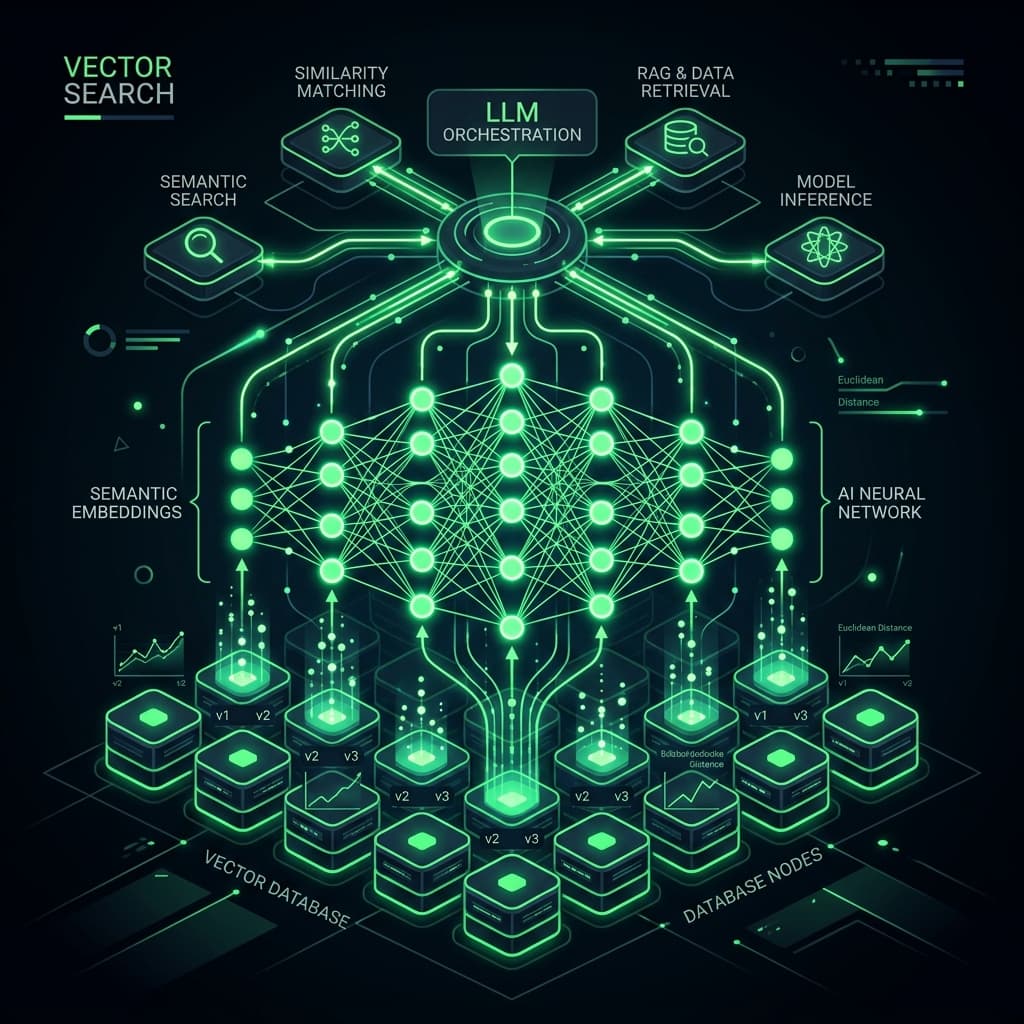
To build a RAG (Retrieval-Augmented Generation) pipeline using Google Gemini and pgvector, you must generate text embeddings using Gemini's text-embedding-004 model, store those high-dimensional vectors directly in your PostgreSQL database using the vector column type, and query them using cosine similarity (<=>) to fetch relevant document contexts. This unified database setup eliminates the sync delay and subscription cost of standalone vector databases like Pinecone, keeping your AI architecture simple.
Integrating AI features into digital products can be a double-edged sword: it offers massive value but introduces latency and high token costs. Partnering with a specialist like a bhalli AI integration expert ensures your vector pipeline is optimized with robust chunking strategies, cache controls, and strict cost guardrails.
1. The RAG Pipeline Workflow
Retrieval-Augmented Generation solves the primary limitation of Large Language Models: lack of private knowledge and tendency to hallucinate. Instead of training or fine-tuning a model (which costs thousands of dollars), RAG injects relevant document snippets directly into the prompt context at runtime.
The system operates in three stages:
- Ingestion: Split documents into overlapping chunks (e.g., 500 characters with 100 characters overlap), convert those chunks to 768-dimensional vectors using Gemini Embeddings API, and save them in PostgreSQL.
- Retrieval: When a user asks a question, convert the user's query into a vector, and perform a nearest-neighbor search in PostgreSQL to retrieve the top 3-5 most similar text chunks.
- Generation: Append the retrieved chunks to the system prompt, and call Gemini's text generation model (e.g.,
gemini-1.5-flash) to generate a context-aware, factually grounded answer.
2. Technical Implementation: pgvector Querying & Gemini Prompting
To query embeddings in PostgreSQL, we utilize the pgvector extension. This allows us to perform high-speed vector similarity searches directly inside standard SQL queries.
Below is a Next.js API route showing the entire backend RAG workflow: generating query embeddings, performing a cosine similarity search in PostgreSQL, and passing the context to the Google Gemini API to generate the response:
// src/app/api/ai/rag-query/route.ts
import { NextRequest, NextResponse } from 'next/server';
import { GoogleGenAI } from '@google/genai';
import { Pool } from 'pg';

const dbPool = new Pool({
  connectionString: process.env.DATABASE_URL,
});

const ai = new GoogleGenAI({ apiKey: process.env.GEMINI_API_KEY });

export async function POST(req: NextRequest) {
  try {
    const { question } = await req.json();

    if (!question) {
      return NextResponse.json({ error: 'Missing question in request body' }, { status: 400 });
    }

    // 1. Generate embedding vector for user question
    const embeddingResponse = await ai.models.embedContent({
      model: 'text-embedding-004',
      contents: question,
    });

    const queryVector = embeddingResponse.embedding.values;

    // 2. Perform Cosine Similarity query in PostgreSQL using pgvector
    // <=> operator calculates cosine distance (smaller distance = higher similarity)
    const dbClient = await dbPool.connect();
    const queryText = `
      SELECT content, 1 - (embedding <=> $1::vector) AS similarity
      FROM document_chunks
      ORDER BY embedding <=> $1::vector
      LIMIT 4;
    `;

    const dbResult = await dbClient.query(queryText, [JSON.stringify(queryVector)]);
    dbClient.release();

    const retrievedContext = dbResult.rows
      .filter((row: any) => row.similarity > 0.65) // Filter out low-matching snippets
      .map((row: any) => row.content)
      .join('\n\n');

    if (!retrievedContext) {
      return NextResponse.json({
        answer: "I couldn't find any relevant document context in our knowledge base to answer your question.",
      });
    }

    // 3. Prompt Gemini with the retrieved context
    const systemPrompt = `
      You are an AI assistant. Answer the user's question using ONLY the provided document context.
      If the context does not contain enough information, explain that you don't know based on the documents.

      Document Context:
      ${retrievedContext}
    `;

    const chatResponse = await ai.models.generateContent({
      model: 'gemini-1.5-flash',
      contents: [
        { role: 'user', parts: [{ text: systemPrompt }] },
        { role: 'user', parts: [{ text: question }] }
      ]
    });

    return NextResponse.json({
      answer: chatResponse.text,
      sourcesUsed: dbResult.rows.map((r: any) => ({ content: r.content.slice(0, 50) + '...', similarity: r.similarity })),
    }, { status: 200 });

  } catch (error: any) {
    return NextResponse.json(
      { error: 'RAG Pipeline execution failed', message: error.message },
      { status: 500 }
    );
  }
}
This endpoint bridges your local PostgreSQL database with Gemini's reasoning models in a single API call, keeping latency under 1.5 seconds.
Client-Side Chat Interface with React
To display this in a premium chat UI, we build a stateful React component. Below is the code for the RAG chat assistant, including loading indicators and sources display:
// src/components/ai/ChatAssistant.tsx
'use client';

import React, { useState } from 'react';
import { FiSend, FiLoader, FiBookOpen } from 'react-icons/fi';

interface Source {
  content: string;
  similarity: number;
}

export default function ChatAssistant() {
  const [input, setInput] = useState('');
  const [loading, setLoading] = useState(false);
  const [response, setResponse] = useState<string | null>(null);
  const [sources, setSources] = useState<Source[]>([]);

  const handleSearch = async (e: React.FormEvent) => {
    e.preventDefault();
    if (!input.trim() || loading) return;

    setLoading(true);
    setResponse(null);
    setSources([]);

    try {
      const res = await fetch('/api/ai/rag-query', {
        method: 'POST',
        headers: { 'Content-Type': 'application/json' },
        body: JSON.stringify({ question: input }),
      });

      const data = await res.json();
      if (res.ok) {
        setResponse(data.answer);
        setSources(data.sourcesUsed || []);
      } else {
        setResponse(`Error: ${data.error || 'Failed to process RAG query'}`);
      }
    } catch (err) {
      setResponse('Connection error occurred while querying context.');
    } finally {
      setLoading(false);
    }
  };

  return (
    <div className="w-full max-w-2xl mx-auto p-6 rounded-2xl bg-linear-to-br from-[#333333e3] to-[#333333] border border-white/5 shadow-2xl select-text">
      <form onSubmit={handleSearch} className="flex gap-2">
        <input
          type="text"
          value={input}
          onChange={(e) => setInput(e.target.value)}
          placeholder="Ask the knowledge base..."
          className="flex-1 bg-white/5 border border-white/10 rounded-xl px-4 py-3 text-sm text-White focus:border-primary focus:outline-none transition-colors"
        />
        <button
          type="submit"
          disabled={loading || !input.trim()}
          className="px-5 py-3 rounded-xl bg-primary text-DarkGray font-semibold text-sm flex items-center gap-2 cursor-pointer hover:bg-LightGreen transition-colors disabled:opacity-50"
        >
          {loading ? <FiLoader className="animate-spin w-4 h-4" /> : <FiSend className="w-4 h-4" />}
          <span>Query</span>
        </button>
      </form>

      {response && (
        <div className="mt-6 p-5 rounded-xl border border-white/5 bg-white/2 flex flex-col gap-4">
          <p className="text-sm text-White leading-relaxed">{response}</p>

          {sources.length > 0 && (
            <div className="border-t border-white/5 pt-3 mt-1">
              <span className="text-[10px] text-liGht uppercase font-mono tracking-wider flex items-center gap-1.5 mb-2">
                <FiBookOpen className="w-3 h-3 text-DarkGreen" /> Sources used:
              </span>
              <ul className="flex flex-col gap-1.5">
                {sources.map((s, idx) => (
                  <li key={idx} className="text-xs text-liGht flex justify-between">
                    <span className="italic">{s.content}</span>
                    <span className="font-mono text-DarkGreen font-medium">{(s.similarity * 100).toFixed(1)}%</span>
                  </li>
                ))}
              </ul>
            </div>
          )}
        </div>
      )}
    </div>
  );
}
3. Structural Comparison: pgvector vs. Specialized Vector DBs
Here is an comparison of using PostgreSQL pgvector vs. dedicated vector databases (like Pinecone or Milvus) for SaaS platforms:
| Evaluation Metric | PostgreSQL + pgvector | Dedicated Vector DB (Pinecone) |
|---|---|---|
| Architectural Complexity | Low (Keep all metadata, transactional, and vector tables in one place) | High (Requires syncing state changes from SQL to vector DB) |
| Subscription Cost | $0/month (Included in standard PostgreSQL) | High (Starts at $70+/month for production indexes) |
| Joint Queries | Easy (Use SQL inner joins to filter vectors by user ID or tags) | Hard (Requires complex metadata filtering scripts) |
| Backup and Restore | Managed (Use pg_dump or automated DB snapshots) | Manual (Needs separate configuration pipelines) |
| Maximum Scale | High (Supports millions of vectors with HNSW indexing) | Very High (Optimized for billions of active vectors) |
4. Real-World Trade-Offs and Budget Considerations
While pgvector is highly efficient, nearest-neighbor searches are CPU-heavy. To prevent search queries from slowing down your primary transactional tables, we recommend setting up an HNSW (Hierarchical Navigable Small World) index:
CREATE INDEX ON document_chunks USING hnsw (embedding vector_cosine_ops);
This index organizes embeddings into a multi-layered graph, speeding up retrieval times from linear scans to logarithmic searches, keeping your response times sub-second.
5. Contact BhalliSoft to Integrate AI
At Bhalli Software Solutions, we design and implement production-grade RAG systems. We configure pgvector datastores, optimize chunking protocols, build streaming chat interfaces, and implement cost/latency tracking guardrails.
Are you looking to integrate context-aware search or AI agents into your SaaS application?
Book a Free AI Strategy Session with BhalliSoft to receive an AI execution plan, review database scaling requirements, and structure your model calling routes. Let's make your product intelligent.