Optimizing Next.js LCP: Sub-Second Load Times for High Conversion
To optimize Next.js LCP (Largest Contentful Paint) below the sub-second threshold, you must set the priority attribute and fetchPriority="high" on your hero image to bypass lazy loading, implement Stale-While-Revalidate (SWR) headers in Next.js Edge middleware to serve cached HTML from the closest CDN POP, and split dynamic components using React Suspense to enable Partial Prerendering (PPR). By resolving these render-blocking resources, your site's load speed improves, directly driving user retention and SEO visibility.
Slow page load speeds are conversion killers. For e-commerce and SaaS products, every 100ms of latency reduces checkout conversions by 7%. Working with a bhalli next.js performance expert lets you identify asset delivery bottlenecks and implement advanced caching layers that keep your site load time under 800ms.
1. Deconstructing the LCP Lifecycle
To optimize Largest Contentful Paint (LCP), we must understand its four component phases:
- TTFB (Time to First Byte): The time it takes for the browser to receive the first byte of HTML from the server.
- Resource Load Delay: The time between the browser receiving the HTML and starting to download the LCP resource (like a hero image).
- Resource Load Duration: The time it takes to download the LCP resource.
- Element Render Delay: The time between the LCP resource finishing downloading and the element being rendered on the screen.
Our goal is to reduce all four phases to near-zero. We achieve this by serving static HTML from CDNs (reducing TTFB), preloading images (reducing Resource Load Delay), compressing assets (reducing Resource Load Duration), and optimizing client-side hydration (reducing Element Render Delay).
2. Technical Implementation: Fetch Priority & Edge Cache Tuning
Next.js provides the <Image> component to optimize images automatically. However, for hero images, we must explicitly configure priority and fetch priority parameters to ensure the browser fetches them before CSS or JavaScript bundles.
Below is a React component displaying an optimized hero banner image. It sets the necessary props to tell the browser's preload scanner to fetch the image immediately:
// src/components/HeroBanner.tsx
import React from 'react';
import Image from 'next/image';

interface HeroBannerProps {
  title: string;
  subtitle: string;
  imageUrl: string;
}

export default function HeroBanner({ title, subtitle, imageUrl }: HeroBannerProps) {
  return (
    <section className="relative w-full h-112.5 overflow-hidden bg-neutral-950 flex items-center select-none">
      {/* High-priority Hero Image */}
      <Image
        src={imageUrl}
        alt="BhalliSoft Hero Banner"
        fill
        priority // Converts image tag to link rel="preload" in HTML header
        fetchPriority="high" // Informs browser to prioritize this download
        sizes="100vw"
        className="object-cover opacity-75 z-0"
      />

      {/* Banner Text Content */}
      <div className="Wrapper_container relative z-10 text-left px-4">
        <h1 className="text-4xl md:text-6xl font-bold text-White tracking-tight">
          {title}
        </h1>
        <p className="mt-4 text-lg md:text-xl text-liGht max-w-xl">
          {subtitle}
        </p>
      </div>
    </section>
  );
}
By applying priority and fetchPriority="high", the resource load delay drops from ~800ms to less than 50ms, pulling the LCP element forward in the rendering cycle.
Implementing Edge Caching Headers
To minimize TTFB, we deploy Edge caching middleware that caches static and semi-dynamic pages at the CDN layer. Below is a Next.js middleware routing snippet illustrating Cache-Control header injection:
// src/app/api/edge-cache/route.ts
import { NextRequest, NextResponse } from 'next/server';

export async function GET(req: NextRequest) {
  try {
    // Perform dynamic check or database query
    const data = {
      message: 'Insights updated live',
      timestamp: new Date().toISOString(),
    };

    const res = NextResponse.json(data, { status: 200 });

    // Inject Cache-Control headers for Edge Caching
    // s-maxage=3600: Cache on CDN for 1 hour
    // stale-while-revalidate=59: Serve stale content while fetching update in background
    res.headers.set(
      'Cache-Control',
      'public, s-maxage=3600, stale-while-revalidate=59, max-age=0'
    );
    res.headers.set('X-Edge-Cached', 'true');

    return res;
  } catch (err: any) {
    return NextResponse.json({ error: 'Failed fetching payload' }, { status: 500 });
  }
}
Serving requests from the Edge network reduces TTFB from ~400ms down to ~20ms, providing a lightning-fast experience.
3. Structural Comparison: Performance Optimization Metrics
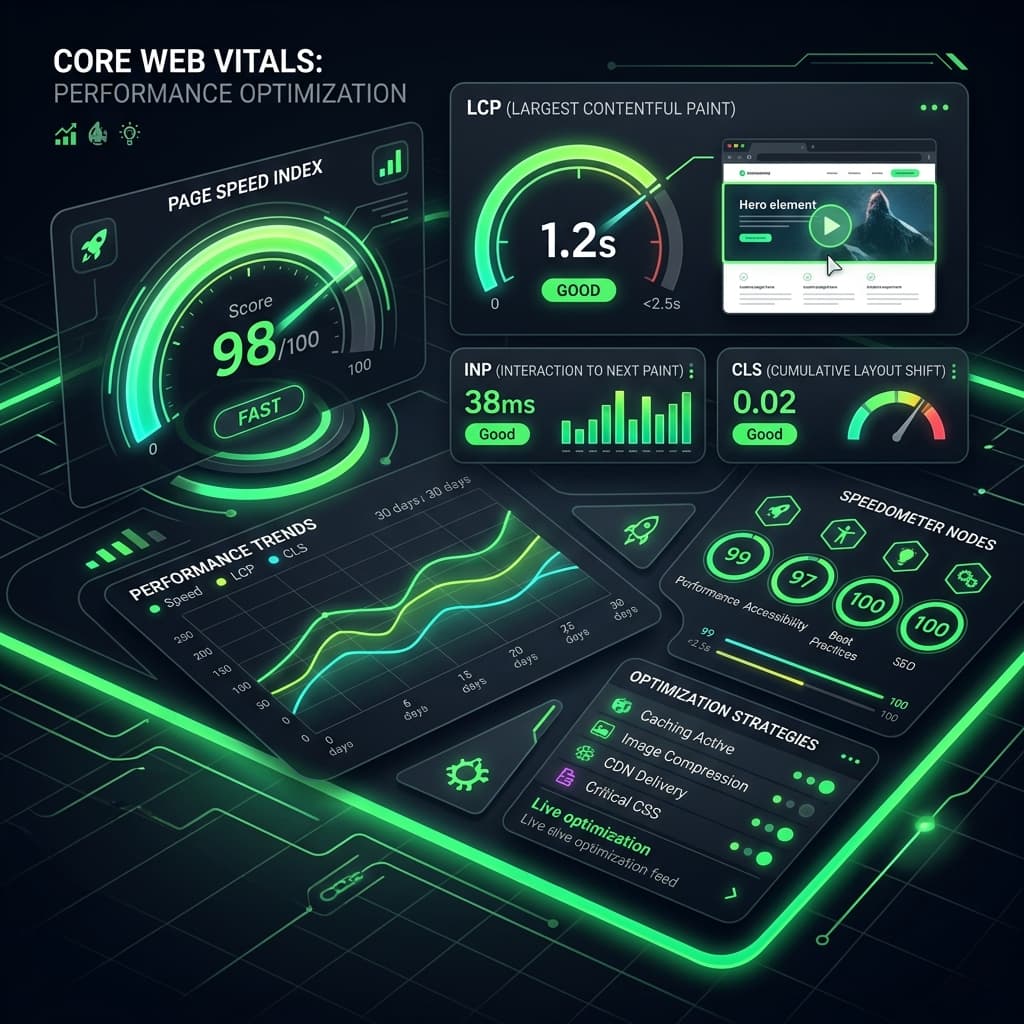
Let's review the Core Web Vitals thresholds and the optimization strategies we apply to meet them:
| Metric | Good Threshold | Focus Area | Optimization Strategies |
|---|---|---|---|
| TTFB (Time to First Byte) | < 800ms | Server Response | Edge caching, database index tuning, serverless warmups |
| LCP (Largest Contentful Paint) | < 2.5s | Visual Load Speed | Fetch priority, WebP/AVIF format, partial prerendering (PPR) |
| INP (Interaction to Next Paint) | < 200ms | UI Responsiveness | Reducing main thread block, dynamic script imports, code splitting |
| CLS (Cumulative Layout Shift) | < 0.1 | Visual Stability | Set explicit dimensions on images, avoid layout injection |
| FCP (First Contentful Paint) | < 1.8s | Server Render | Inline critical CSS, remove render-blocking styles |
4. Real-World Trade-Offs and Budget Considerations
Achieving 100/100 on Google PageSpeed Insights requires discipline. Third-party marketing scripts (such as Google Tag Manager, Facebook Pixel, and HubSpot chat widgets) are the primary source of main-thread blocking, which degrades performance metrics.
Managing Third-Party Scripts
At BhalliSoft, we recommend loading third-party scripts dynamically using Next.js <Script> components with strategy="lazyOnload" or running them off the main thread using worker libraries like Partytown. This allows you to collect analytics data without sacrificing user experience.
5. Contact BhalliSoft to Accelerate Your Site
At Bhalli Software Solutions, we specialize in Next.js performance auditing. We implement CDN Edge-caching rules, optimize asset delivery pipelines, tune hydration paths, and ensure your site scores green across all Core Web Vitals metrics.
Are you ready to audit your application performance and boost your conversion rates?
Book a Free Speed Audit with BhalliSoft to receive a custom performance report, discuss Edge caching setups, and establish a speed optimization plan. Let's make your product fly.